Providing your logistics partner Posten Norway the IOSS number correctly ensures your shipments are handled appropriately.
For a single parcel to be send to the EU, follow the link:
Send parcel abroad - Posten.no/en
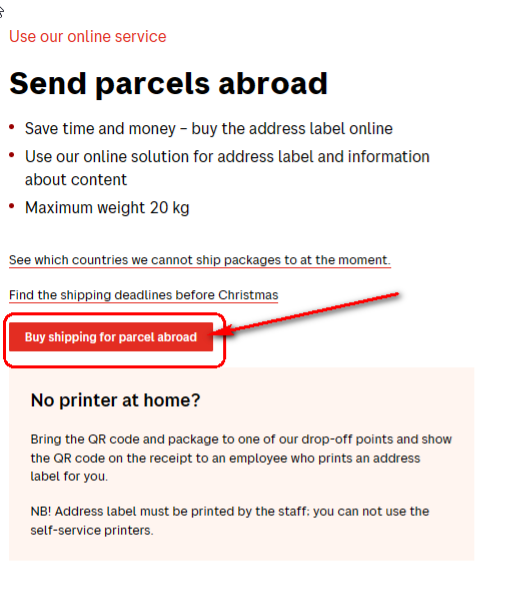
1. Choose “Buy shipping for parcel abroad”:
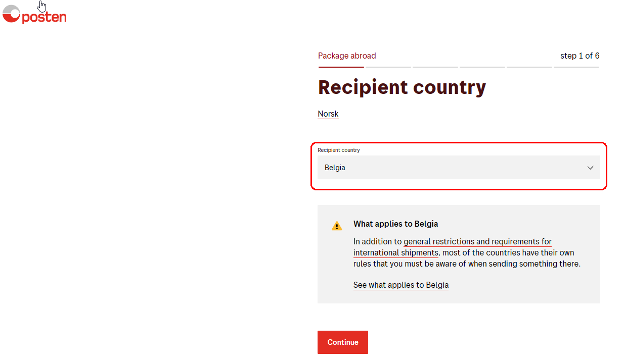
2. Choose the destination country and press “Continue”:
3. Choose size and weight and press continue:

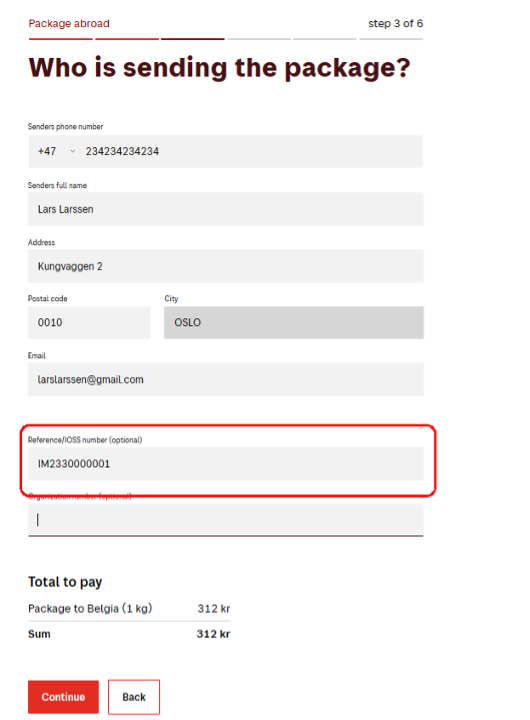
4. Input sender data and IOSS number, press “Continue”:
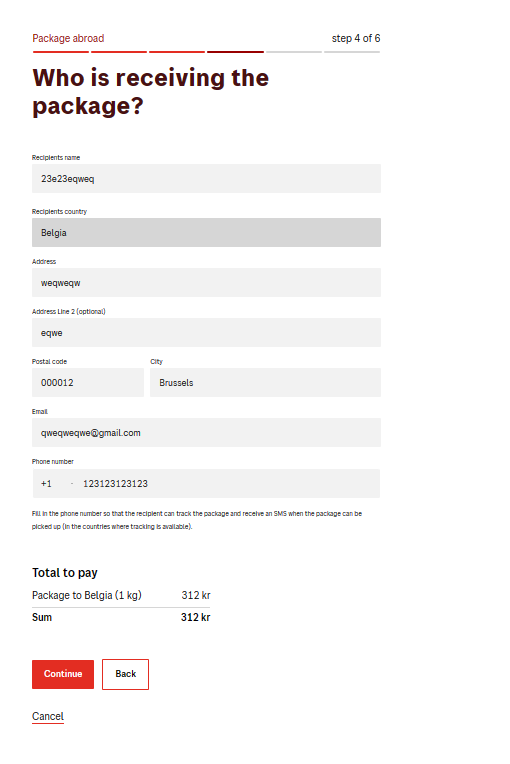
5. Input customer data
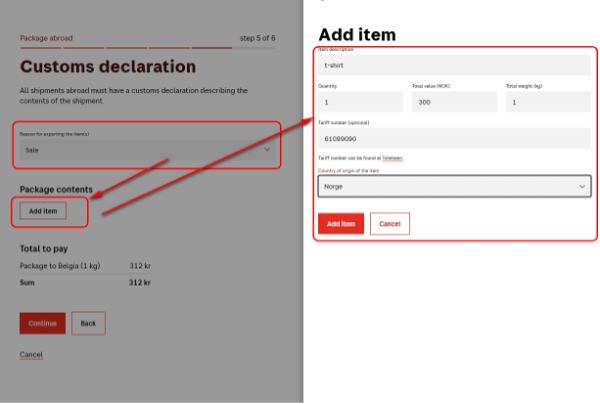
6. Input customs data:
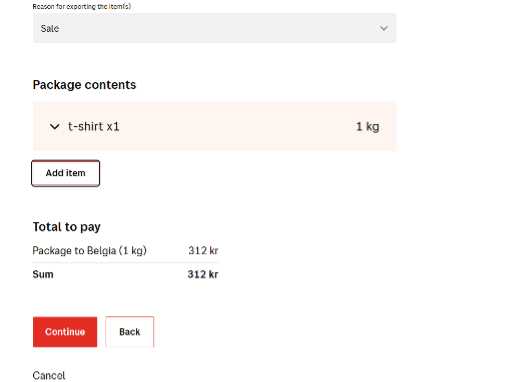
Start with “Reason for reporting the items “ – always input “Sale” , then add items data, make sure that all items are added.
Press “Continue”:
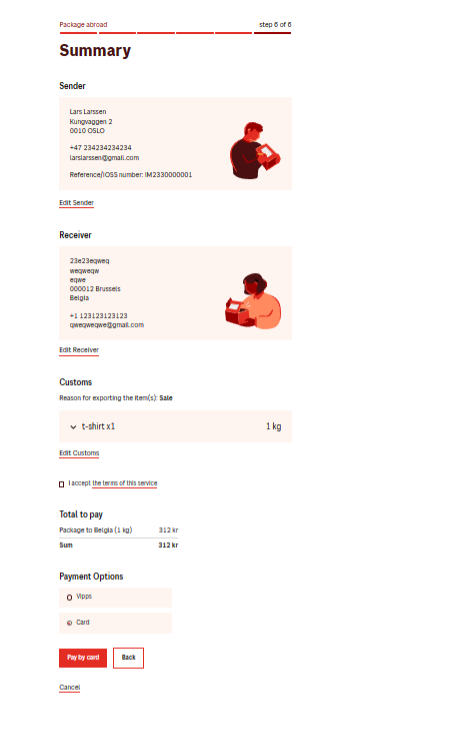
7. Check the order summary and pay: