Providing your logistics partner Royal Mail the IOSS number ensures your shipments are handled timely and in full compliance with the IOSS regulations.
Your IOSS number should be introduced into Click & Drop as soon as you receive your number from EAS.
Royal Mail Click & Drop instructions for IOSS:
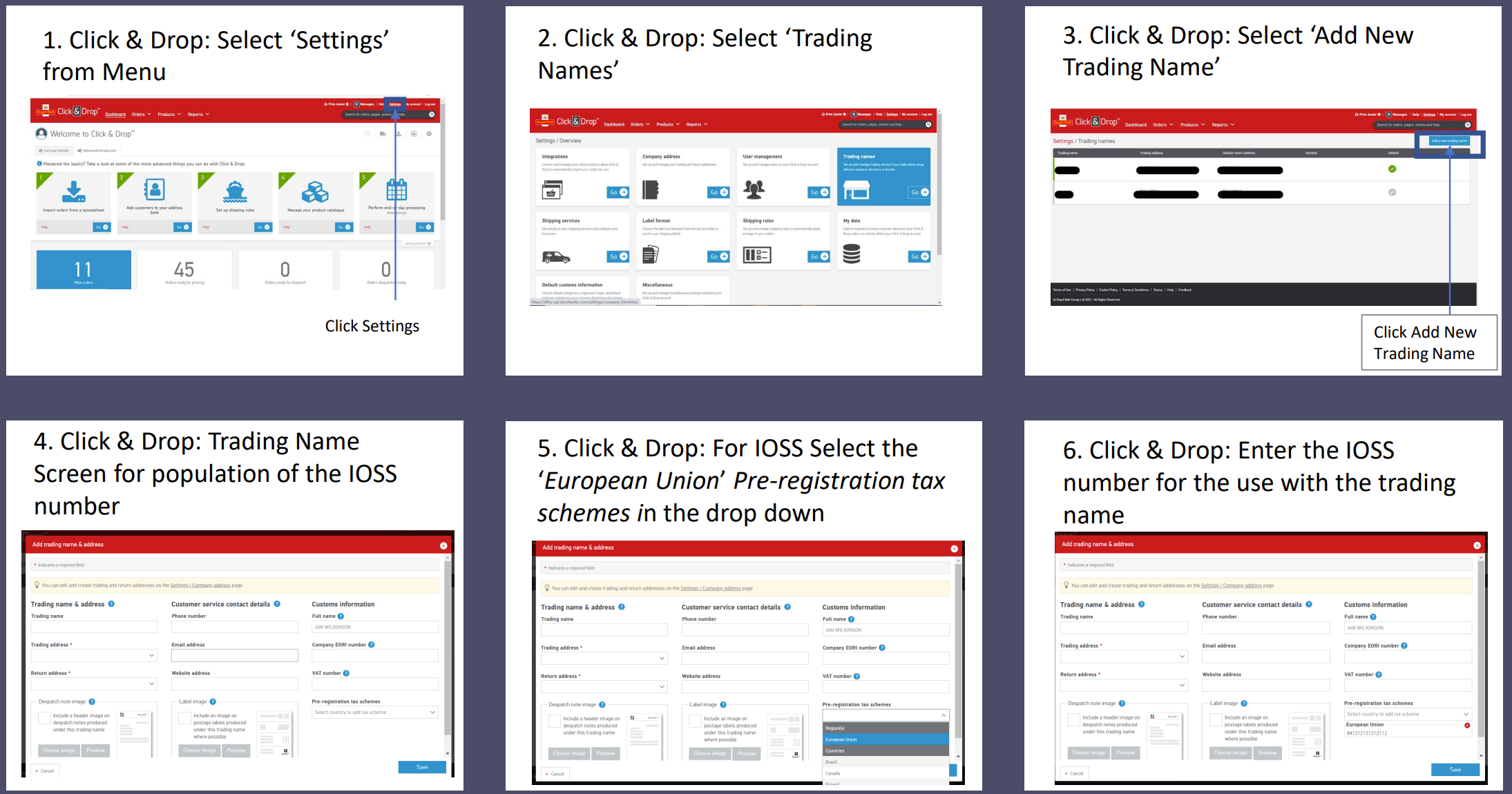
Link to original Royal Mail article:
Note: Never print or write your IOSS number on packages or labels
In addition to entering your IOSS number you also need to input IOSS limit into the Customs section of the Settings. Go to the Settings in the upper right corner of the Click & Drop dashboard and go for "Customs" menu group:
The following view will open:
On the left side are useful for automatic filling of the order customs data. These entries can be fixed later in the actual order. Fill them only if you want to use default values in your customs declaration all the time. If you sell many items with different HS codes and product types then leave this section unfilled.
On the right side input the IOSS cut-off level should at 135 GBP with “Automatically apply IOSS number “ option enabled.
Enable HS Code & Description auto-lookup only if you do not have HS codes set up in your Click & Drop. Alternatively you can record your items customs data directly in the Click & Drop database.
See more on the the HS code set up here : https://help.easproject.com/hc/en-gb/articles/5139702959519-Managing-HS-codes-in-Royal-Mail-s-Click-Drop