This manual shows how to add HS code and the country of origin to your items in the store using standard bulk edit options.
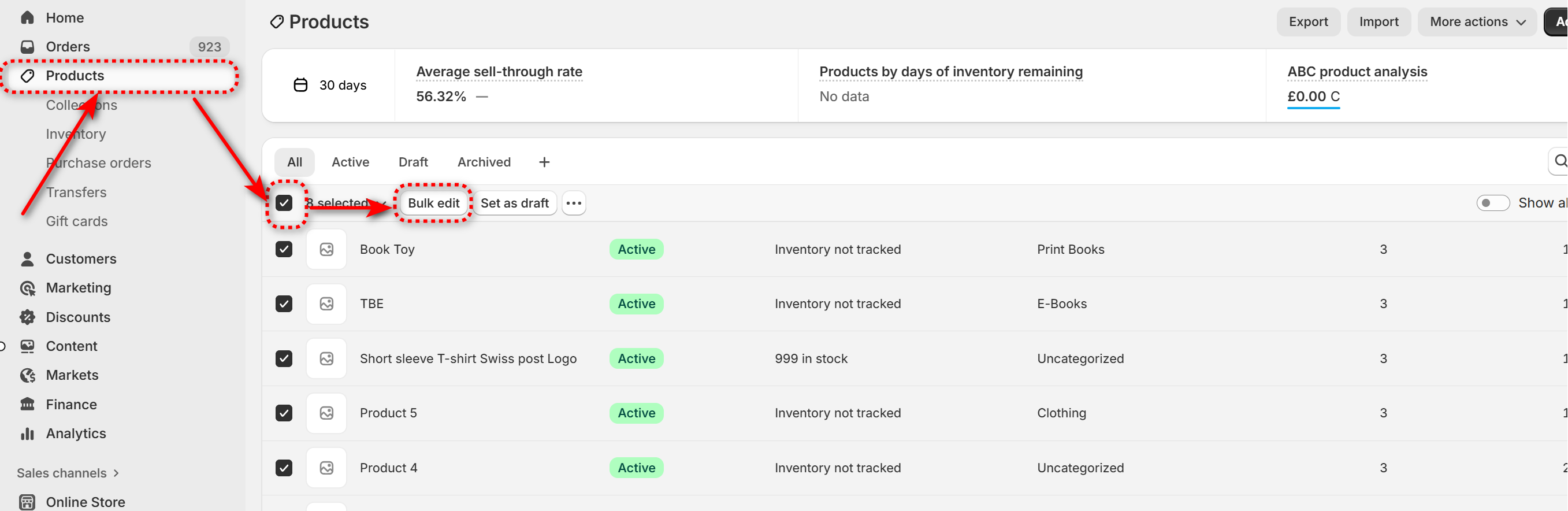
Go to "Products" and choose all products in the store, press "Bul edit":
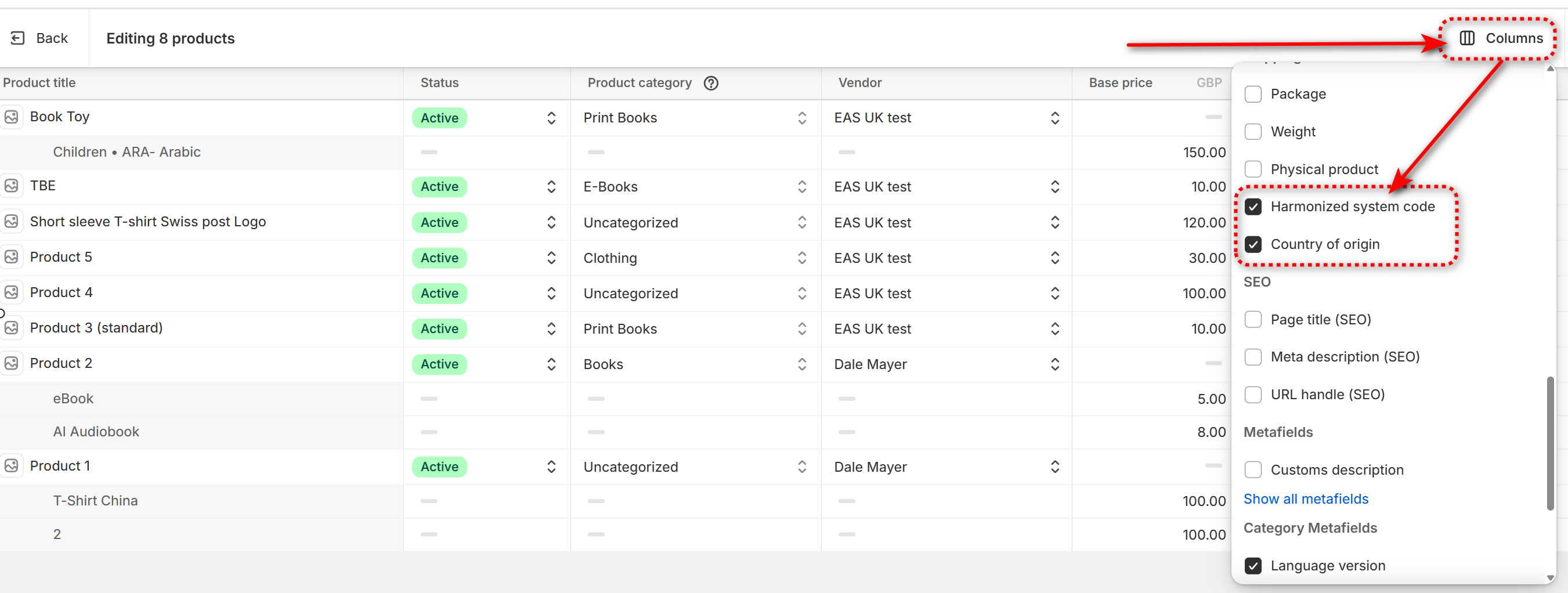
In the catalogue view go to "Columns" , open the fold down menu and enable "Harmonised system code" and "Country of origin" :
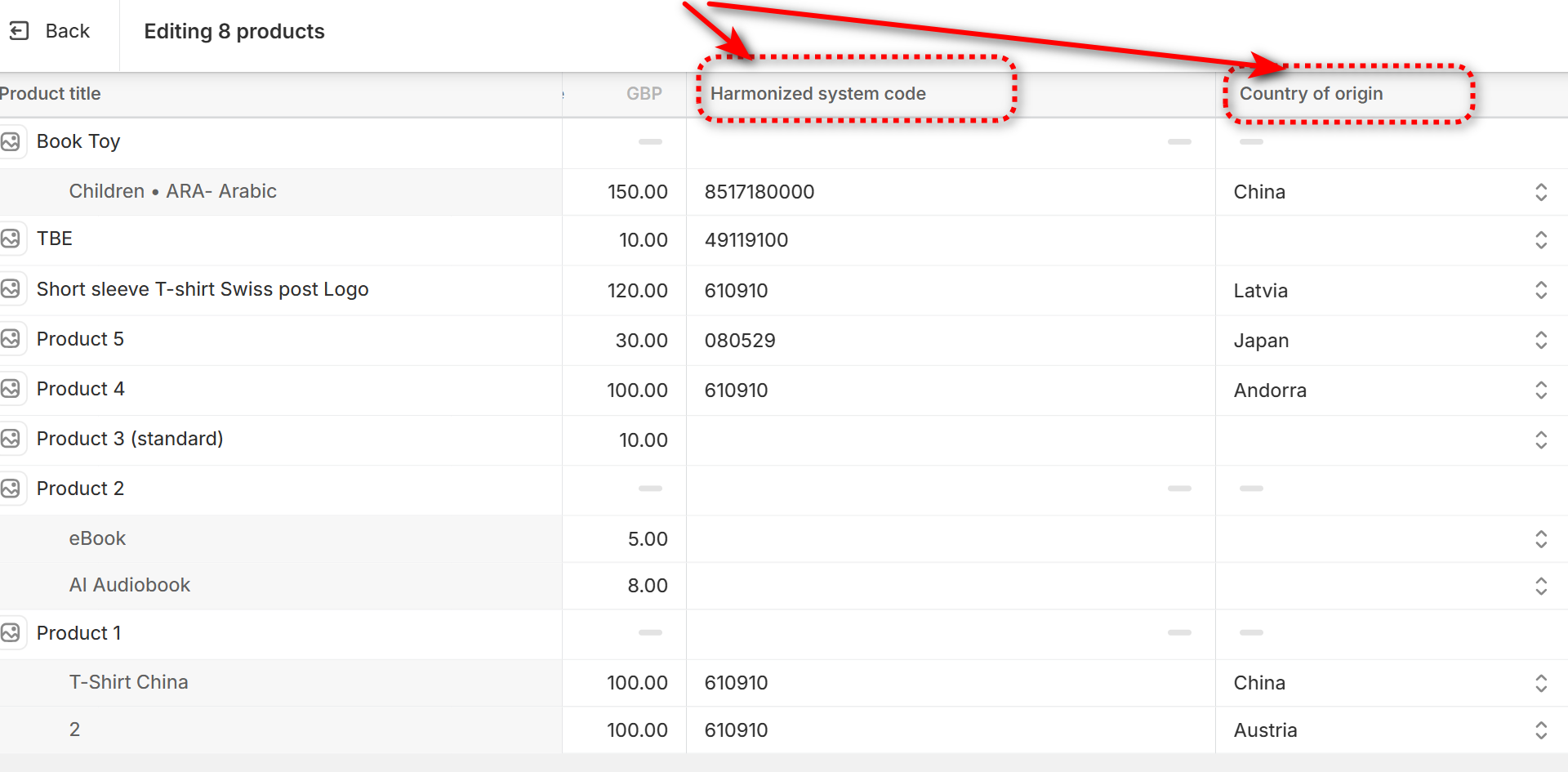
Both columns become enabled and data for products and variants is now available for editing using the usual bulk edit methods:
Having completed adding HS codes and the country of origin press "Save" at the upper right corner.