This article will help to add recipients or change notification settings for existing one
Log in to the EAS dashboard
Go to to the main menu (upper right corner) and select "User Management"
User Management option
This options allows to add notification on essential actions to connected e-mails and connect new e-mail addresses for Merchant’s team members.
After initial installation only the e-mail address given by the Merchant during registration is connected.
New users can be connected by pressing “ADD NEW USER” button.
On the form tick "Notification only (no dashboard access)" to create notifications email. E.g. You want to send invoices to a certain email (invoices@---.com)
Access to the Dashboard will not be granted for the email.
Notification for connected e-mails can be viewed/changed by pressing “bell” icon :
Please choose desired notification options for each contact.
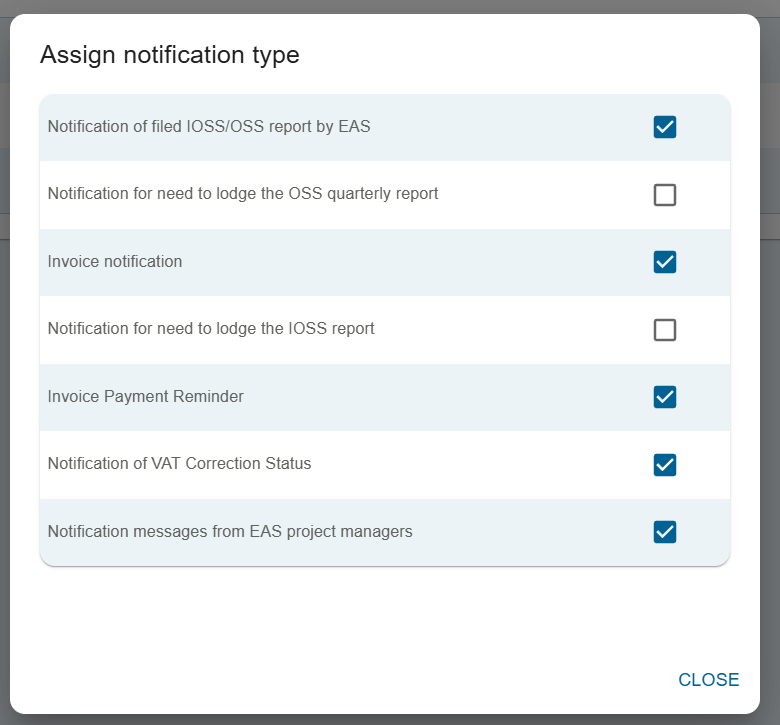
Notification content is self-explanatory.
Please ensure that at least one contact person has Invoice notification and Invoice payment reminder options enabled.