As soon as you have received your approval of UK VAT registration you have to configure VAT service in your HMRC account.
This is the first step in your journey to the UK VAT compliance. This step is to be followed by connecting your HMRC Government gateway in the EAS dashboard to EAS UK filing solution, see this manual How to connect your UK VAT account to HMRC via EAS dashboard (MTD , Making Tax Digital)
You will need your HMRC approval document and your Government Gateway credentials (ID and password)
In your registry document you can see UK VAT inception date and UK VAT number that is assigned to you.

Sign in to your HMRC account
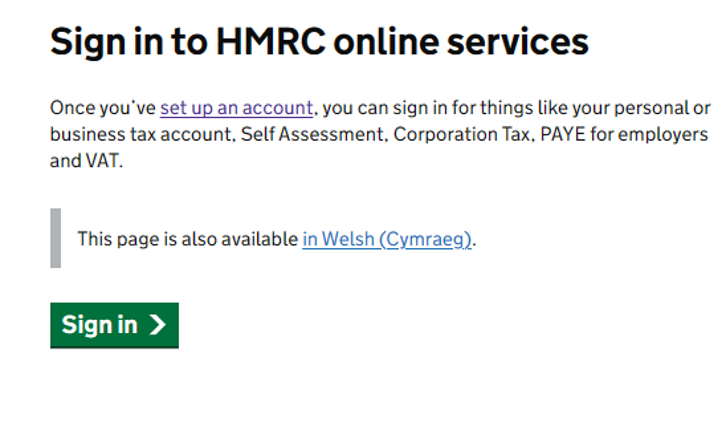
Follow the link to visit your account HMRC online services: sign in or set up an account: Sign in to HMRC online services - GOV.UK (www.gov.uk) and press “Sign in”
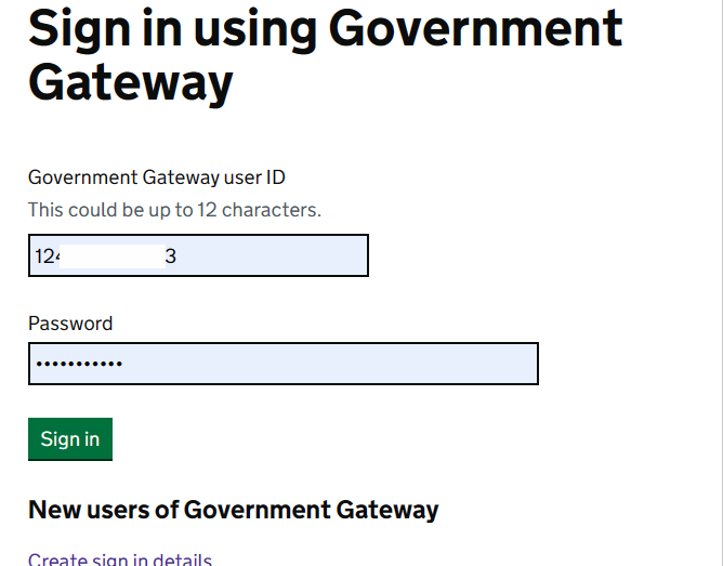
Choose "Government gateway" and press continue :
Enter your credentials, choose “Sign in”:
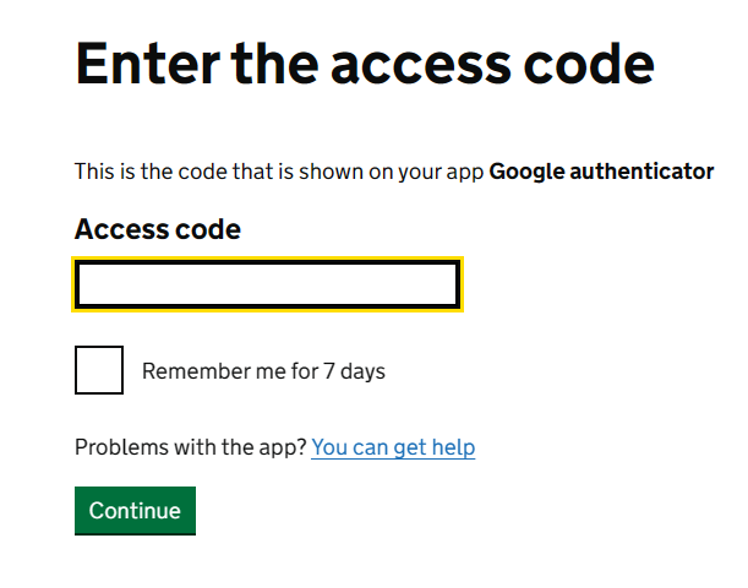
Enter authentication code sent to you phone or online authenticator, press “Continue”:
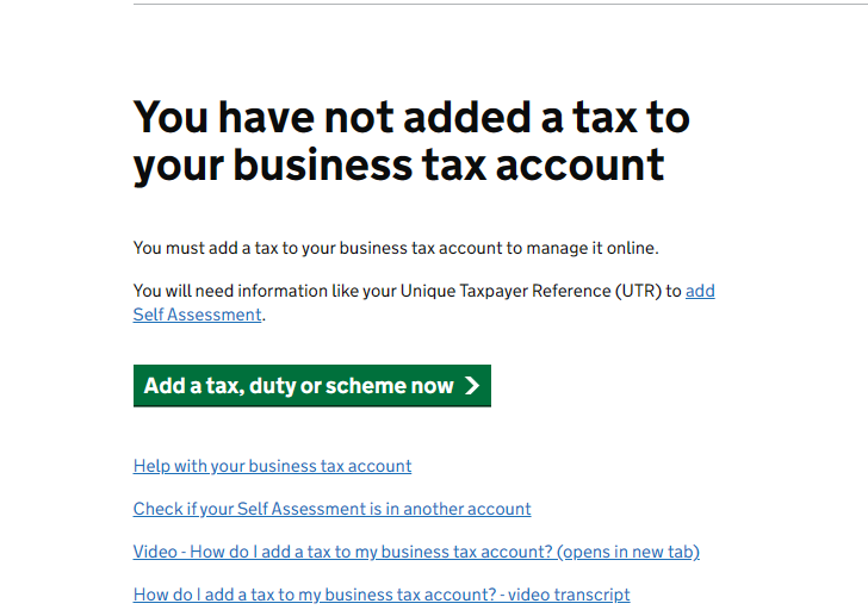
Press “Add a tax, duty or scheme now”:
Follow the thread below to enable VAT service in your HMRC account:
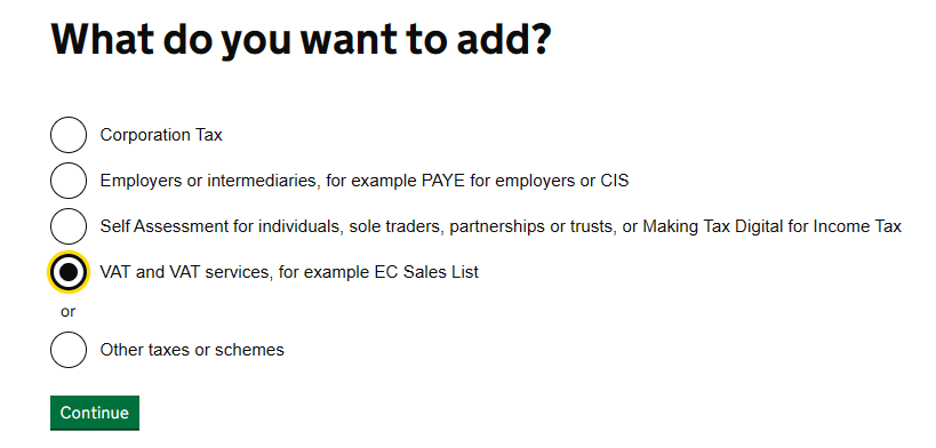
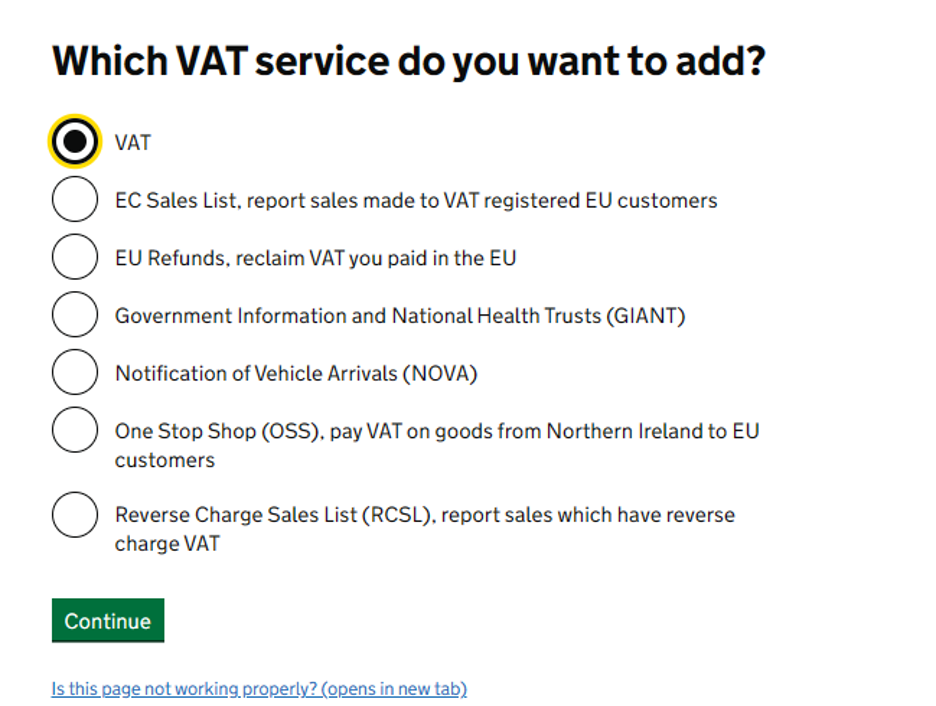
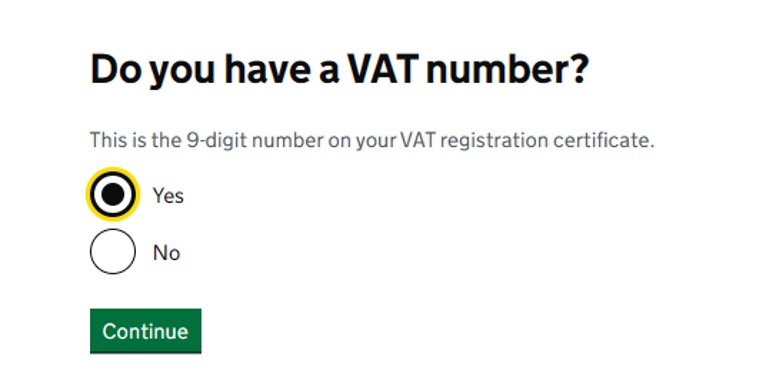
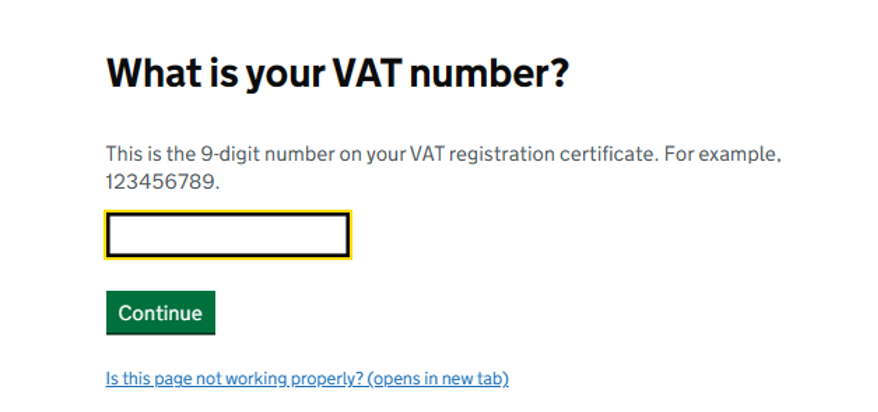
Enter your UK VAT number here:
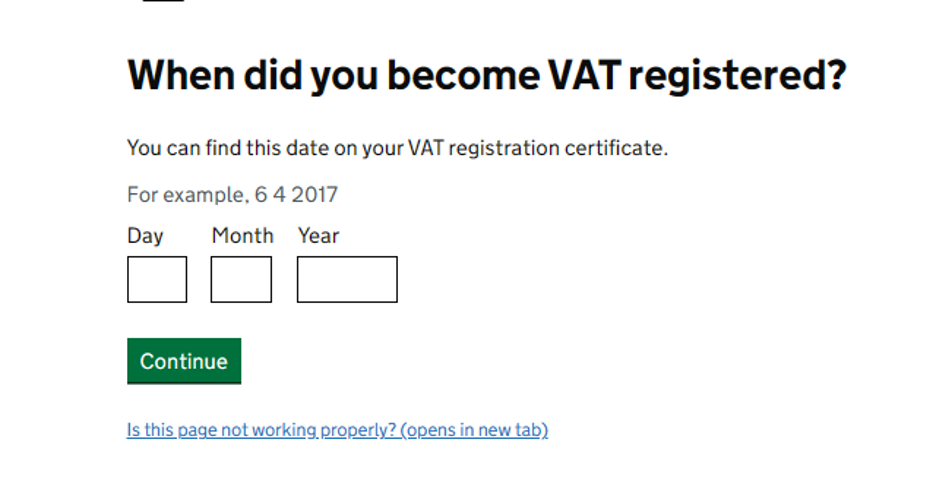
Input the UK VAT validity date, as given in your HMRC UK VAT registry document (see at the beginning of this manual)
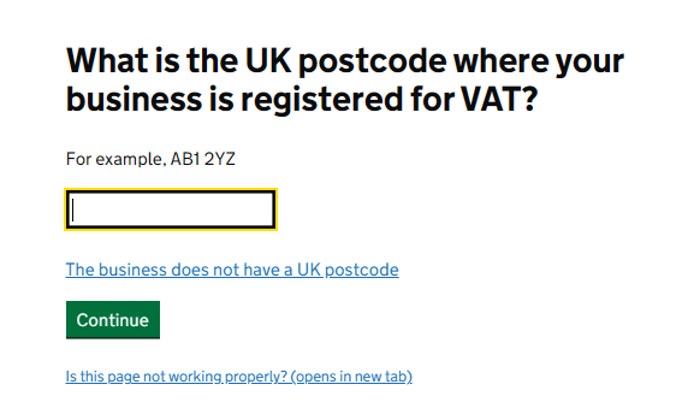
Enter the registry zip code code shown in the registry document if you have a UK address. For non UK companies which do not have a UK address the option "The business does not have a UK postcode" is to be used:
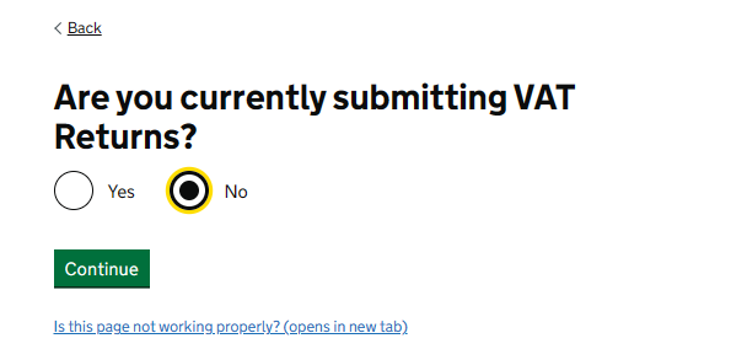
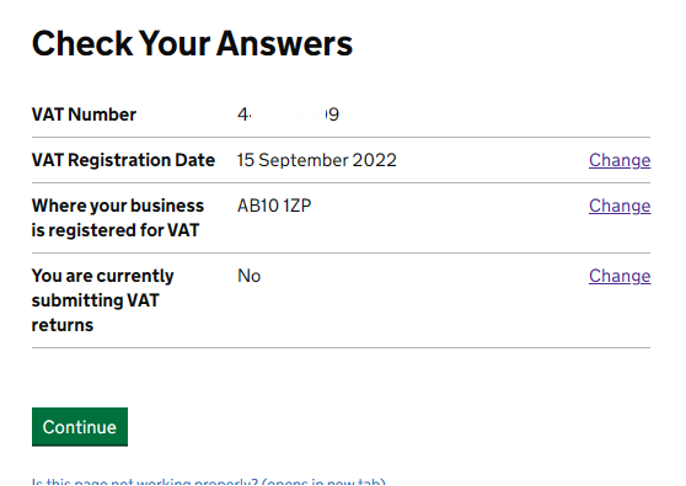
Press “Continue”. Registration is complete.
Repeat the process if you get the following message but use AB10 1 ZP postal code when asked:
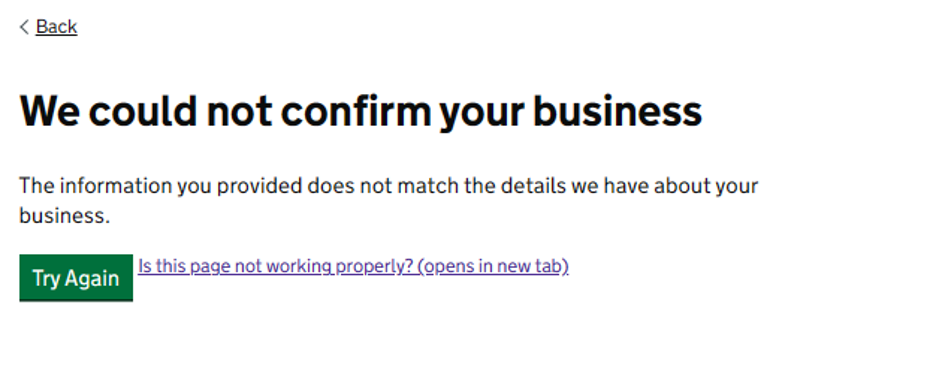
If this message persist, contact EAS.
If the process is completed you will see the following view :
From this view you can manage you regular routines for UK VAT (make payments, view payment history, check due dates etc. ) . Please , make sure that you have your access to the HMRC Gateway so that you will be able to make the payments.
Adding VAt service to your HMRC Gateway account is the first step in making you VAT complaint in the UK . This step is to be followed by connecting your HMRC Government gateway in the EAS dashboard to the MTD solution - solution used for actual filing of your UKVAT returns, see this manual How to connect your UK VAT account to HMRC via EAS dashboard (MTD , Making Tax Digital)