In order for EAS to be able to configure the platform, EAS must have access to a number of settings in Shopify
The collaboration rights requested
To provide fully automated EU and UK VAT compliance, the EAS app needs access to specific Shopify permissions. Below is a breakdown of each permission, along with an explanation of why it's needed.
The permissions marked as "Required for Shopify Markets" must be granted so EAS can access Shopify Markets — the area where key local tax settings are configured.
Orders
Permission: Manage orders information
Why: To review EAS VAT calculations applied to your customer orders.
Draft Orders
Permission: Create and edit draft orders
Why: To verify VAT calculations on manually created or dropped orders.
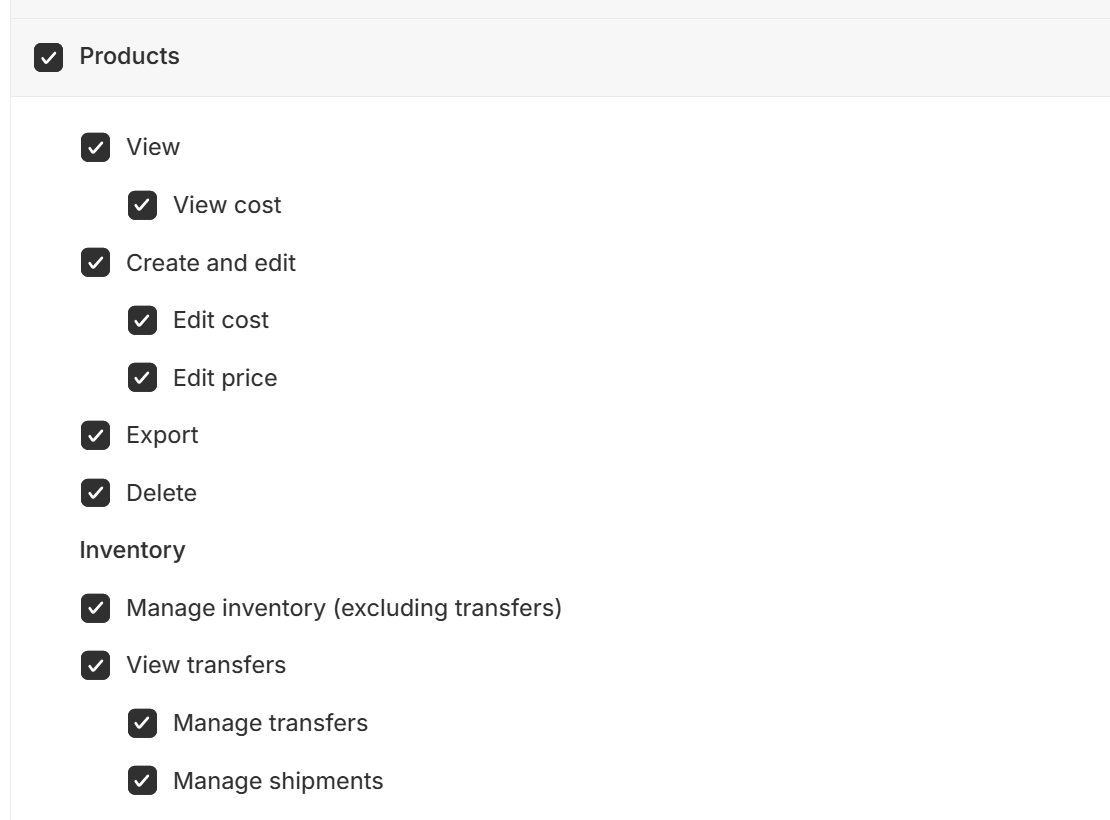
Products
Permissions:
View product cost
Create and edit products
Edit product cost
Edit product price
Export products
Why: To review product details for correct tax handling, bulk update product categories, attach markets, and adjust prices where needed.
Settings
Permission: Manage settings
Why: Required for Shopify Markets. This is necessary to access and configure regional tax settings and market-specific setups.
Shipping and Delivery
Permission: Manage shipping and delivery
Why: EU country delivery options must be verified to ensure they comply with tax and customs requirements.
Locations
Permission: Manage locations
Why: Fulfilment priorities and warehouse locations must match EAS settings to ensure correct tax treatment.
View apps developed by staff and collaborators
Permission: View apps
Why: To ensure there are no conflicts between EAS and other installed apps.
Taxes and Duties
Permission: Manage tax settings
Why: Required to set up and maintain tax configurations for EU countries and the UK.
Gift Cards
Permission: Manage gift cards
Why: To ensure gift card functionality aligns with European VAT rules and reporting.
Customers
Permission: Manage customer data
Why: Required to support all discount types and apply correct VAT based on customer location or exemption status.
Reports
Permission: View reports
Why: Required for Shopify Markets. This provides access to market-specific sales and tax reporting.
Dashboards
Permission: View dashboards
Why: Required for Shopify Markets. Enables visibility into configuration and performance of regional settings.
Marketing
Permission: Manage marketing
Why: Required for Shopify Markets. Shopify includes this permission as part of market-specific functionality.
Discounts
Permission: Manage discounts
Why: To ensure that all discount types function correctly with EU and UK VAT rules.
Themes
Permission: Edit themes
Why: Needed to configure the EAS app inside your store theme and adjust display settings related to VAT and shipping.
Domains
Permission: Manage domains
Why: Required for Shopify Markets. Regional domains can affect VAT calculation and market eligibility.
Manage and install apps and channels
Permission: Manage apps
Why: Required for installing and operating the EAS Shopify App.
Extended access rights
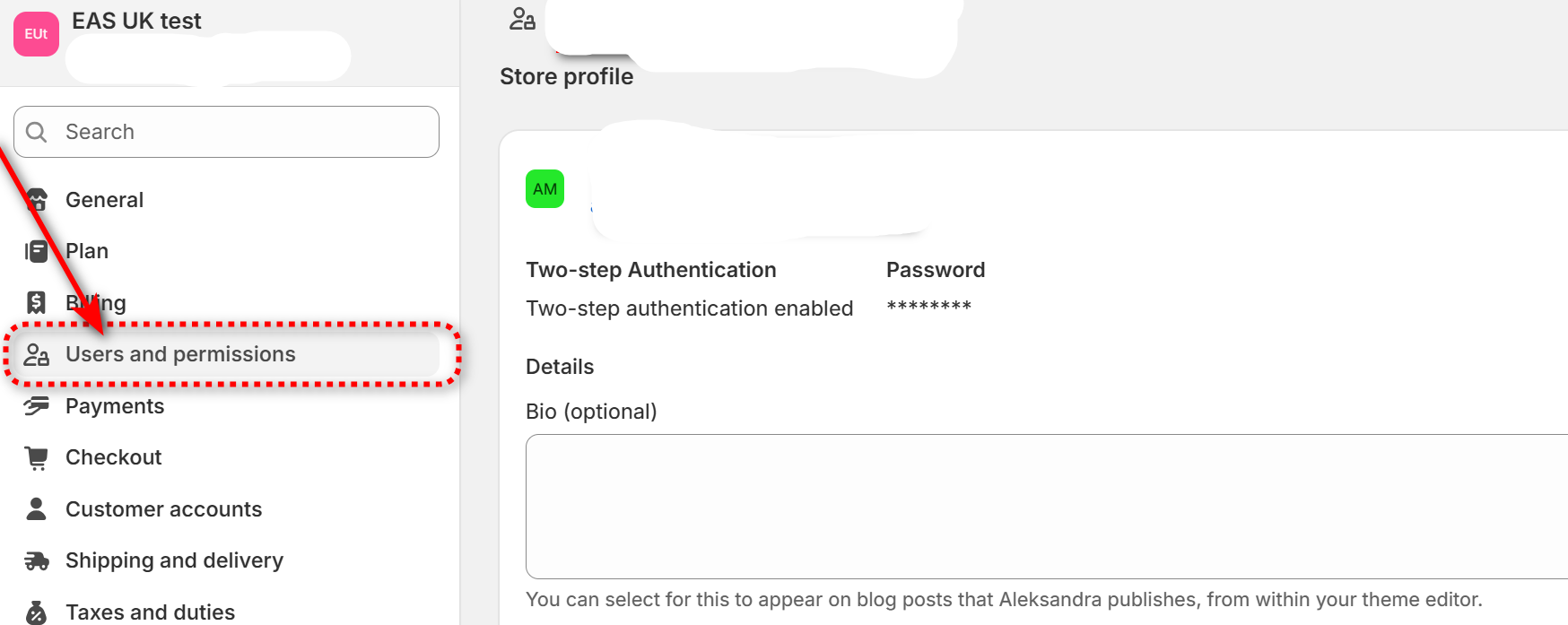
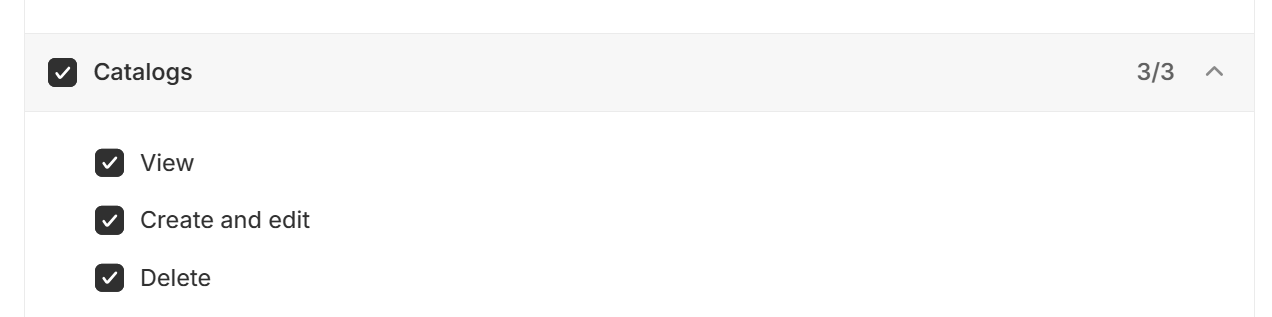
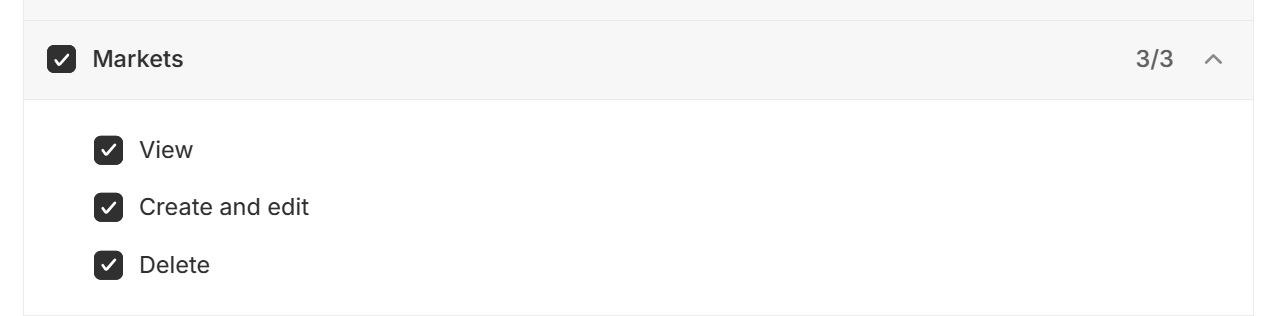
After the general collaboration is granted you need to grant additional permissions to allow access to the catalogs and markets:
Go to "Settings" and then choose "Users and permissions" , locate user "EAS project ":
Ensure that the following sections are enabled :
Depending on the situation we may ask for other permissions . EAS only requests minimum permissions that are needed for the setup. If for the security of your shop under your internal guidelines you need to restrict collaborators from access you can always remove access to permissions allowed to EAS for the setup. We still advise that you keep minimum access open , so that we can access the store in case when we come across erroneous orders